QmitkHistogramVisualizationWidget Class Reference
Widget for displaying Histograms. More...
#include <QmitkHistogramVisualizationWidget.h>
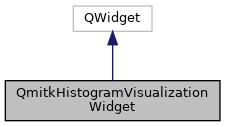
Inheritance diagram for QmitkHistogramVisualizationWidget:
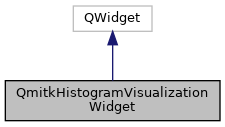
Collaboration diagram for QmitkHistogramVisualizationWidget:
Signals | |
| void | RequestHistogramUpdate (unsigned int nBins) |
| Signal to be emitted when the number of bins is changed by the user. The HistogramCalculator should connect to this signal and recalculate the data accordingly. More... | |
Public Member Functions | |
| QmitkHistogramVisualizationWidget (QWidget *parent=nullptr) | |
| void | SetHistogram (itk::Statistics::Histogram< double >::ConstPointer histogram, const std::string &dataLabel) |
| Draws the histogram and enables the GUI elements. More... | |
| void | Reset () |
| Clears the histogram and disables all GUI elements. More... | |
| void | SetTheme (QmitkChartWidget::ColorTheme style) |
| Sets the theme (either dark or light) More... | |
| void | ResetDefault () |
| Resets the default settings. More... | |
| int | GetBins () |
| Gets the number of bins to calculate. More... | |
Detailed Description
Widget for displaying Histograms.
Definition at line 25 of file QmitkHistogramVisualizationWidget.h.
Constructor & Destructor Documentation
◆ QmitkHistogramVisualizationWidget()
| QmitkHistogramVisualizationWidget::QmitkHistogramVisualizationWidget | ( | QWidget * | parent = nullptr | ) |
Member Function Documentation
◆ GetBins()
| int QmitkHistogramVisualizationWidget::GetBins | ( | ) |
Gets the number of bins to calculate.
◆ RequestHistogramUpdate
|
signal |
Signal to be emitted when the number of bins is changed by the user. The HistogramCalculator should connect to this signal and recalculate the data accordingly.
◆ Reset()
| void QmitkHistogramVisualizationWidget::Reset | ( | ) |
Clears the histogram and disables all GUI elements.
◆ ResetDefault()
| void QmitkHistogramVisualizationWidget::ResetDefault | ( | ) |
Resets the default settings.
◆ SetHistogram()
| void QmitkHistogramVisualizationWidget::SetHistogram | ( | itk::Statistics::Histogram< double >::ConstPointer | histogram, |
| const std::string & | dataLabel | ||
| ) |
Draws the histogram and enables the GUI elements.
◆ SetTheme()
| void QmitkHistogramVisualizationWidget::SetTheme | ( | QmitkChartWidget::ColorTheme | style | ) |
Sets the theme (either dark or light)
The documentation for this class was generated from the following file: